ATF Form 5320.1—better known as “Form 1”—is the paperwork that starts the “make and register” process under the National Firearms Act (NFA). In plain English: it’s how an individual or entity gets ATF approval to make an NFA firearm and have it entered into the NFRTR (National Firearms Registration and Transfer Record).
ATF’s current revised Form 1 is the “Revised December 2025” version (published/revised Jan. 30, 2026 in ATF’s forms library)—and it includes a few changes that matter for real-world filing and compliance.
This blog breaks down what changed and what it means for firearms owners, dealers, and manufacturers.
Section 1: What is ATF Form 5320.1 (“Form 1”)?
Form 1 is the Application to Make and Register an NFA Firearm. It’s used when you are the “maker” (not a transferee) and you need ATF approval before you build/modify the item described on the form.
Who uses Form 1?
- Individuals
- Trusts
- Corporations / other legal entities
- Government entities
Why it matters: Form 1 is one of those “do it right the first time” items—because NFA compliance isn’t the place to freestyle.
Section 2: Overview of the New Changes
1) Tax Payment Clarification (Items 1a / 1b)
The revised form makes the tax handling more explicit:
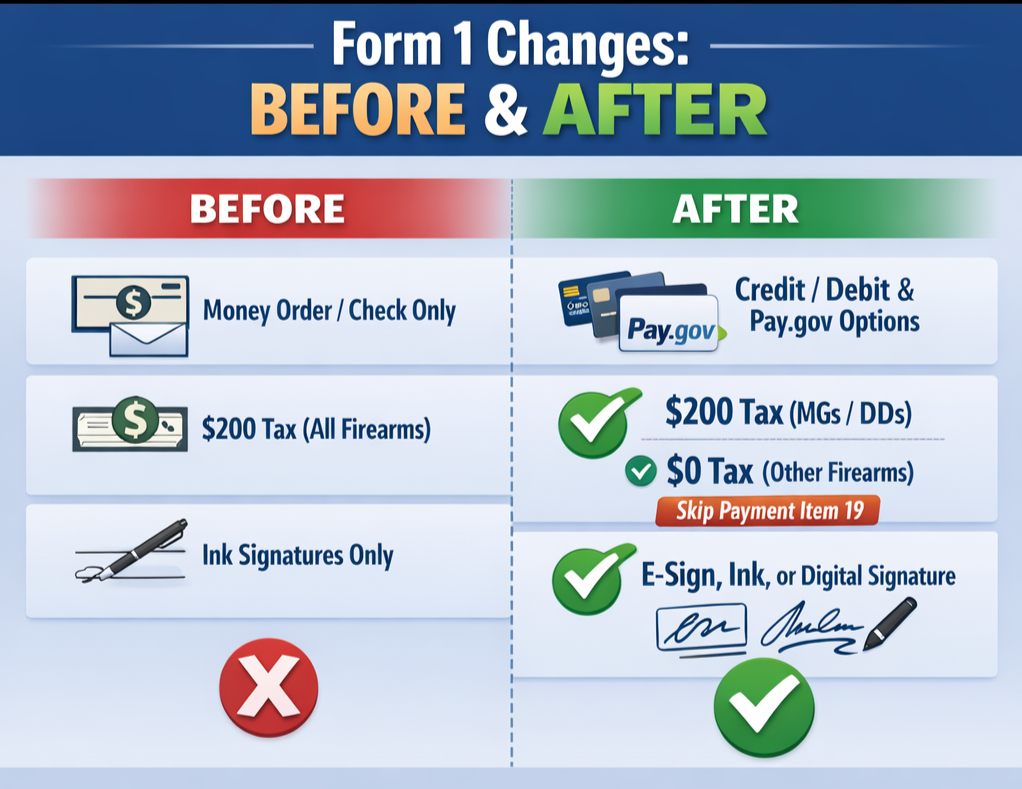
- Item 1a (Tax-paid): $200 making tax for each machinegun or destructive device—and it specifically calls out payment options including credit/debit and pay.gov.
- Item 1b (Tax-paid): $0 tax payment for “other types of firearms,” and it clearly states you don’t complete the payment section (Item 19) when the tax is $0.
- New/clearer tax-exempt pathway: There’s also an explicit tax-exempt option referencing 26 U.S.C. 7801/7805, with a note ATF may request supporting documentation (e.g., documents, photos, etc.).
2) Revised Structure and “User-Friendly” Clean-Up
This version is visibly designed to be easier to follow, with clearer instructions and modern submission language (including eForms references).
3) Updated Electronic Signature Options
The instructions now clearly allow:
- ATF eForms-generated signatures
- Handwritten ink signatures
- Other electronic signatures
4) Other Notable Updates (the “small stuff” that causes big delays)
- Race/ethnicity selections were updated (including a Middle Eastern/North African option and “select one or more”).
- Fillable/print handling improved: the form may be downloaded and filled/signed electronically, and it does not have to be printed front-to-back.
- Pay.gov integration details: the payment section notes that eForms/pay.gov filings may have an internal tracking number not listed in the payment box.
Section 3: Why These Changes Matter
Less friction, fewer “kicked back” applications
The updated tax language and signature guidance reduce the classic errors that trigger rejections/returns (wrong payment handling, wrong signature method, incomplete payment fields).
Time + convenience
The form explicitly supports modern workflow: pay.gov, electronic fill/sign, and clearer “what applies when” instruction language.
Married couples filing jointly (newer instruction direction)
DOJ/ATF paperwork notices specifically call out adding instructions for married couples jointly making/transferring/registering an NFA firearm as an “other legal entity.”
Practical takeaway: if you’re trying to file “jointly,” expect to follow the entity lane (not the individual lane), with the appropriate responsible-person documentation where applicable.
Section 4: How These Changes Affect You
For individual applicants
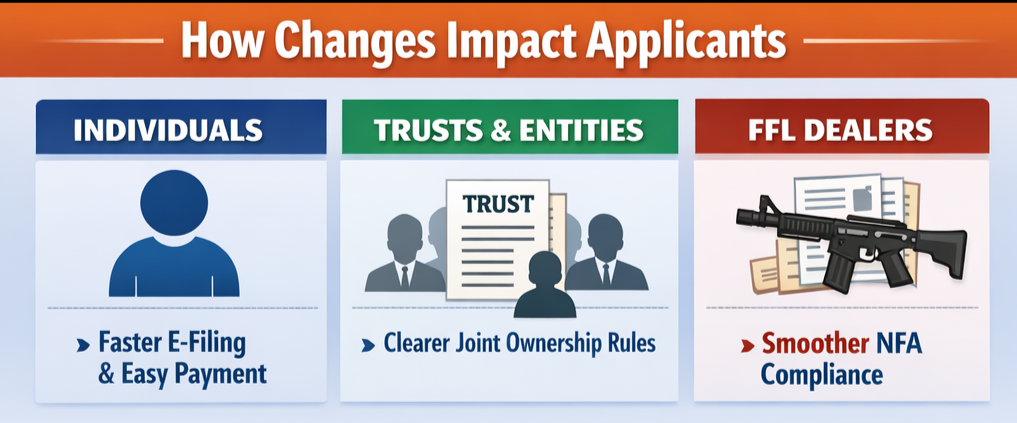
- Clearer “what to fill out / what to skip” based on tax status and submission method.
- Explicit acceptance of eForms/e-signature pathways (per instructions).
For trusts, corporations, and other entities
- The instructions reiterate entity existence documentation requirements and responsible-person packet expectations (Form 5320.23, etc.).
- Joint-filing guidance (including married couples) is being emphasized across ATF/DOJ modernization updates.
For firearms dealers / manufacturers
- Cleaner payment and submission mechanics help reduce customer delays and “what did ATF mean here?” confusion.
- The form still expects correct entity documentation and responsible-person handling—areas that commonly create downstream compliance headaches if mishandled.
Section 5: What You Need to Do Next
How to submit Form 1 (updated workflow)
- Get the current Form 1 directly from ATF’s forms library.
- Choose the correct application type (tax-paid vs. tax-exempt) and follow the updated payment guidance (especially $0 = don’t fill Item 19).
- Use an approved signature method (eForms / ink / other electronic signature).
- If applying as an entity: attach required entity existence documentation, and ensure responsible person requirements are handled correctly.
Key documents you may need
- Entity documentation (trust/corporate/other legal entity) if applicable
- Any supporting documentation if claiming a tax-exempt status under the listed authority
How FFLGuard Helps You Navigate the Process
FFLGuard’s cooperative legal + compliance program has been safeguarding and educating FFLs nationwide since 2008—so you can stay compliant, stay operational, and stay ready when the rules (or the forms) change.
Whether you need help understanding Form 1 requirements, entity filings, NFA process pitfalls, or broader ATF compliance support, FFLGuard’s firearms-focused counsel and compliance professionals are built for this moment.
Want help? Join FFLGuard or contact our team to get pointed in the right direction—before your paperwork becomes your problem.